
How to use SmartRaseed
From installing the app to your first GST invoice, in ten short steps. Most shops are making bills within five minutes.
- 1
Download and create your account
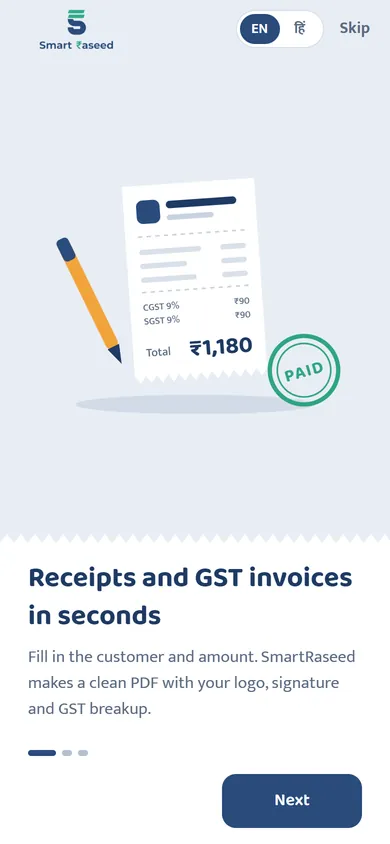
Install SmartRaseed from Google Play. Choose English or हिंदी on the first screen, then sign up with your name, email and a password of at least 8 characters.
We email you a 6-digit code to confirm the address. Enter it and you're in.
- 2
Set up your business once
Enter your shop or business name, address and mobile number. If you're registered under GST, add your GSTIN. Add your UPI ID to collect payments by QR. Composition dealers then turn on Composition scheme in Profile.
Upload your logo and signature if you like. They appear on every receipt and invoice. You can change all of this later from Profile.
- 3
Make your first receipt
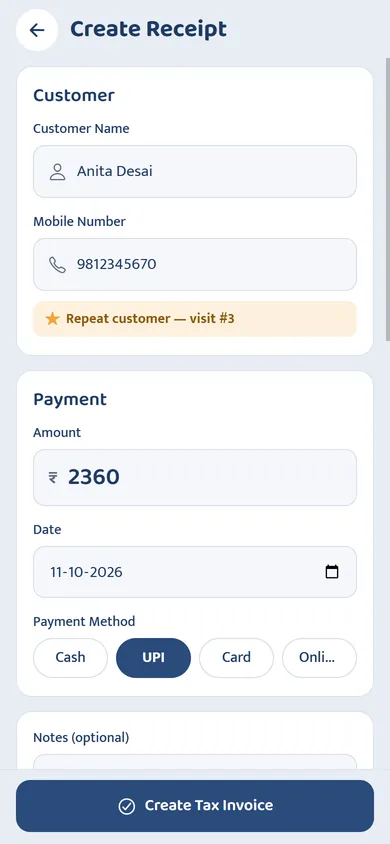
Tap Create Receipt. Type the customer's name and mobile number; next time they'll fill in by themselves. Enter the amount, pick the date and how they paid, and add a note or the items if you want.
Tap Create Receipt again. Your numbered PDF is ready.
- 4
Make a GST tax invoice when needed
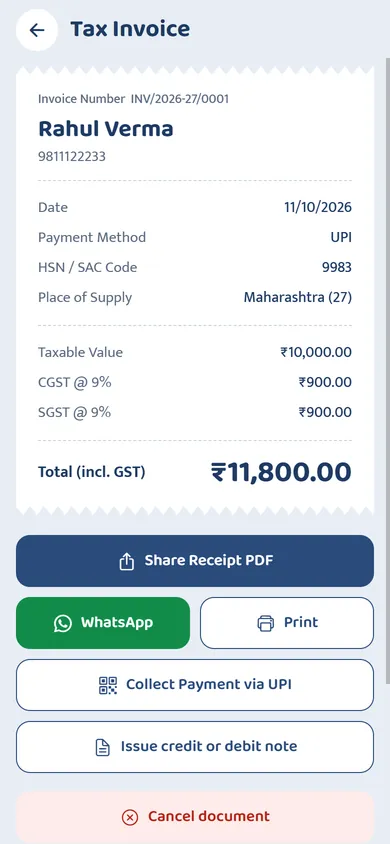
On the same screen, switch on GST tax invoice. Add the HSN or SAC code, pick the GST rate and the place of supply, and the customer's GSTIN if they have one. SmartRaseed works out the taxable value, CGST and SGST or IGST, and numbers it in the invoice series (INV/2026-27/0001).
Composition dealers get a bill of supply here instead, with no tax and the required declaration.
- 5
Collect the payment by UPI
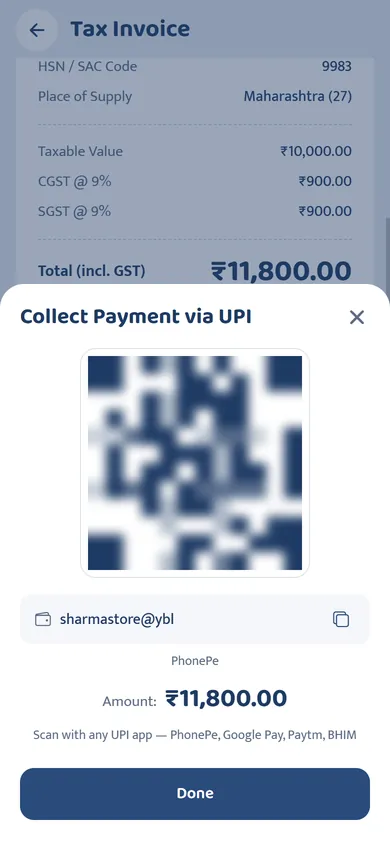
Open the bill and tap Collect payment via UPI. Show the QR to the customer; it already has the amount in it. Check the money has arrived on your own phone or sound box before handing over goods.
- 6
Send it on WhatsApp or print it
Tap WhatsApp to send the PDF straight to the customer's number, Share for any other app, or Print.
- 7
Fix a mistake the right way
Plain receipts can be edited. GST tax invoices are locked once issued, as the law requires. Open one and tap Issue credit or debit note to reduce or increase the amount, or Cancel document if the whole invoice was wrong. The number is kept and the PDF is stamped CANCELLED.
- 8
Find any bill and export for your accountant
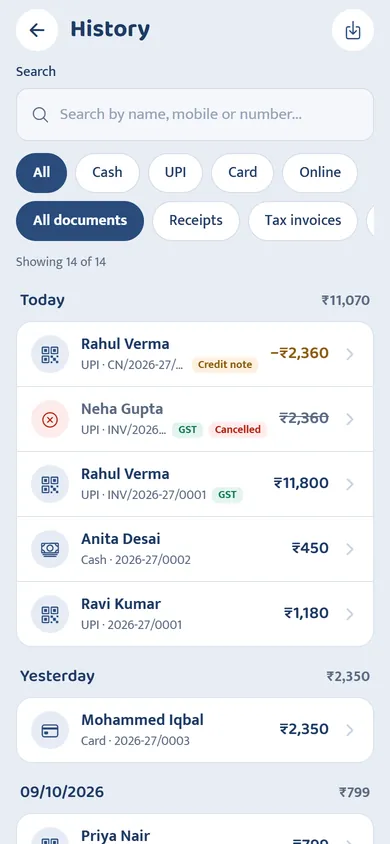
History lists every bill grouped by day, with day totals. Search by name, mobile or number, and filter by payment method or document type. Tap the export button to save the list as a CSV file for your accountant.
- 9
See how your business is doing
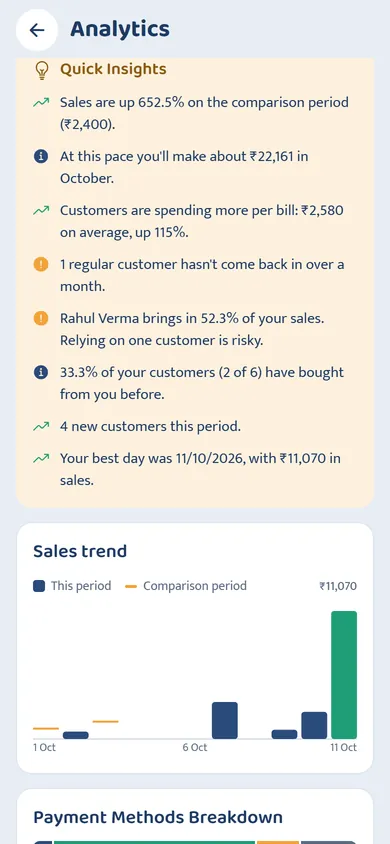
Analytics shows your sales for any period, compared with the period before, with a month-end estimate, your payment mix, busiest weekdays, top customers and regulars who haven't come back, plus plain-language insights.
- 10
Switch to Hindi any time
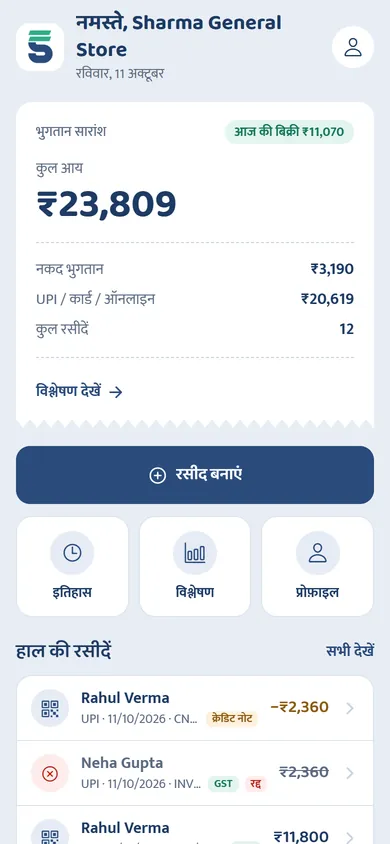
Go to Profile, then Change Language, and pick हिंदी or English. Everything switches at once.
Ready to make your first bill?
Free on Google Play. Set up your shop in two minutes and send your first receipt on WhatsApp today.