
UPI payments with a proper receipt
Show a QR code for the exact amount, let the customer pay with any UPI app, and send a receipt that says Paid by UPI. Your UPI and cash totals stay separate.
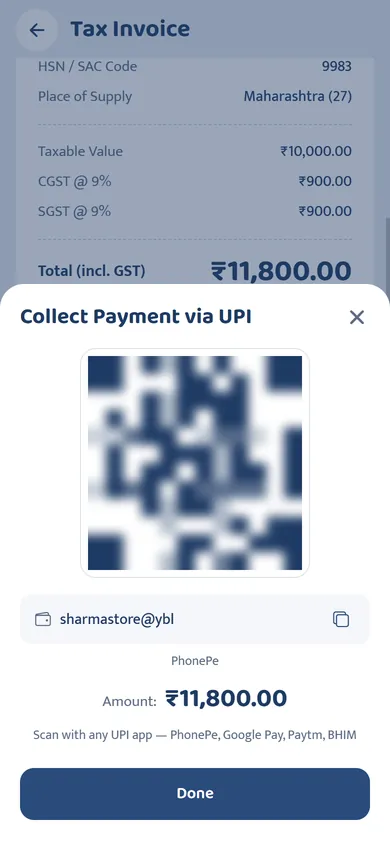
A QR code for the exact amount
A printed QR sticker makes the customer type the amount, and mistakes happen. SmartRaseed shows a UPI QR with the bill amount already filled in. It works with PhonePe, Google Pay, Paytm, BHIM and every other UPI app, and the money goes straight to your own UPI ID. SmartRaseed never touches it and charges nothing for it.
Check the payment on your phone, not theirs
Fake payment screenshots are a common trick. Before handing over goods, confirm the payment on your own sound box, UPI app or bank SMS. For large amounts, note the 12-digit UPI reference (UTR). Our UPI payment receipt guide covers this in detail.
The receipt the customer actually needs
The green tick on the customer's phone shows their app sent money. It doesn't show what they bought or your business details. A SmartRaseed receipt does, with Paid by UPI, and it reaches them on WhatsApp. Customers claiming office expenses or warranties will thank you.
Questions and answers
Does SmartRaseed charge a fee on UPI payments?
No. The QR opens the customer's own UPI app and pays your UPI ID directly. SmartRaseed isn't part of the payment.
Does the app confirm the payment automatically?
No. Check that the payment arrived on your sound box, UPI app or bank SMS, then save the receipt with UPI as the payment method.
Make your next bill on your phone
Free on Google Play. Set up your shop in two minutes and send your first receipt on WhatsApp today.